Turnitin (Plagiarism Checker)
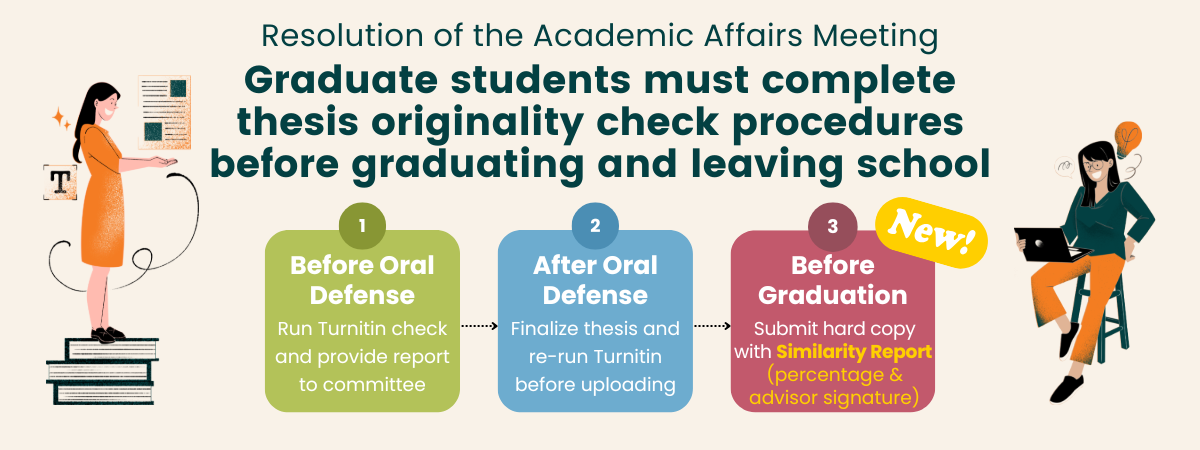
1. The revision of the Implementation Guidelines for Master's (L2-16) and Doctoral (L2-19) Degree Examination was amended in the 91st Academic Affairs Meeting on Apr. 22nd, 2026:Starting from the first semester of the 2026 academic year, before the degree examination, students shall:
(1)submit their thesis draft and the originality report for their thesis (including a similarity percentage and full analysis results) to the members of the Examination Committee for review.
(2)Before graduation, submit a physical copy of the originality report for their thesis, signed by the thesis advisor, to the Library.
2. The Library procedures have been updated as follows:
(1)The instructions for the Thesis Originality Check Procedure have been revised.
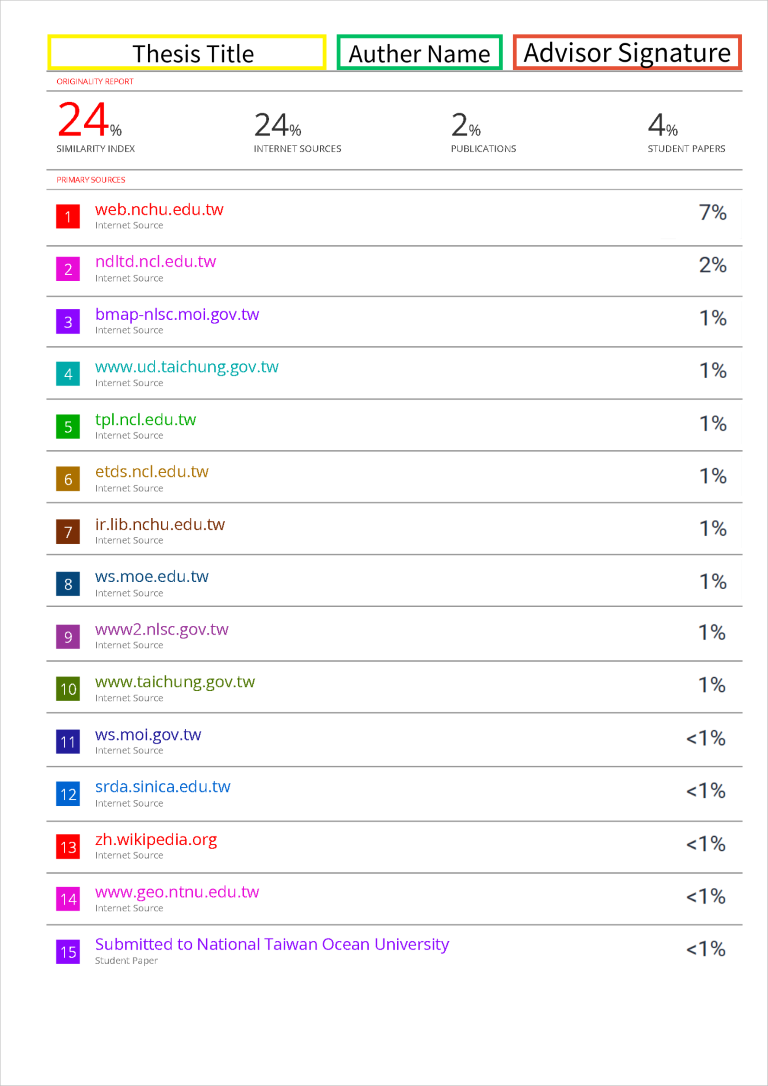
(2)The printed electronic receipt is no longer required. Instead, students must submit a printed copy of the page showing the similarity percentage, signed by the thesis advisor. See the example below.
3. Thesis Originality Check Procedure:
Before Oral Defense(1)Conduct an originality check and provide the complete Similarity Report (including the similarity percentage and full analysis) to the defense committee for review.
(2)Confirm "Thesis originality verified via comparison system" on the Result of Thesis Defense.
(1)Finalize thesis and re-run Turnitin to originality report before uploading.
(2)Print the first page showing the similarity percentage, write your full name in the blank space at the top, and ask your thesis advisor to sign it.
Before leaving the University, NCHU master's and doctoral students must submit both the printed thesis and the page of the Turnitin Similarity Report showing the similarity percentage, signed by the thesis advisor, to the Library.
- Author Name: Please register your Turnitin account and upload your thesis using your official full name (same as your thesis cover).
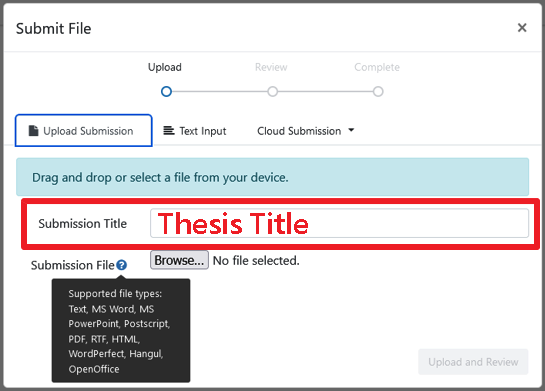
- Submit File: Please enter the full thesis title when submitting your file.
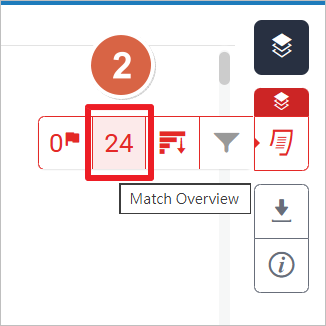
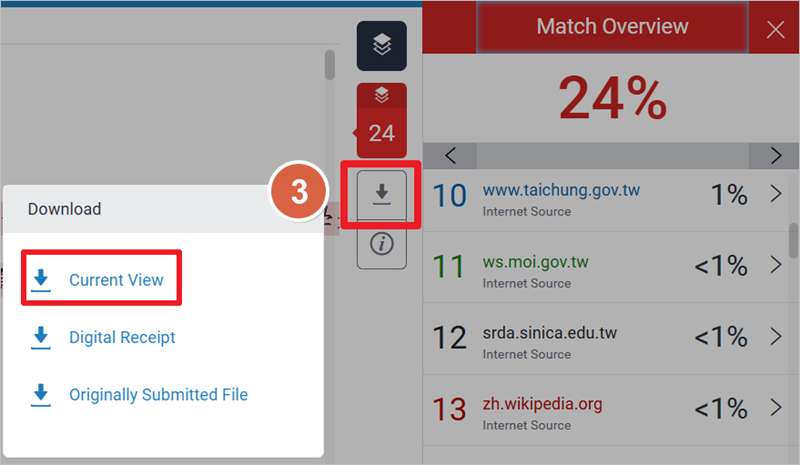
- Download Steps:
(1)Click the similarity % icon in your assignment folder to open the report.
(2)In the toolbar on the right, click the similarity percentage.
(3)Click the gray down-arrow icon on the right-side toolbar, and select Current View to download the report as a PDF.

- Print the first page showing the similarity percentage, write your name in the blank space at the top, and ask your thesis advisor to sign it. Example:
學術支援組 Last updated 2026-07-14 10:53:23
- Home page
- Research & Learning
- Theses & Dissertations
- Turnitin (Plagiarism Checker)
- New Thesis Originality Check Procedures Effective from 2026 Academic Year