Thesis/Dissertation Requests (PQDT)
How to Search and Recommend PQDT Dissertations & Theses
Step 1
Access the PQDT (ProQuest Dissertations & Theses) Database. You can search by entering keywords or check the "Doctoral dissertations only" box to narrow your search.
Step 2
You can sort the search results by Relevance or Publication Date (Oldest first/Most recent first). If there are too many results, use the filters on the bottom left, such as Date Range, Subject, University/Institution, and Language. In the search results, click "Preview - PDF" to view the first 24 pages for free.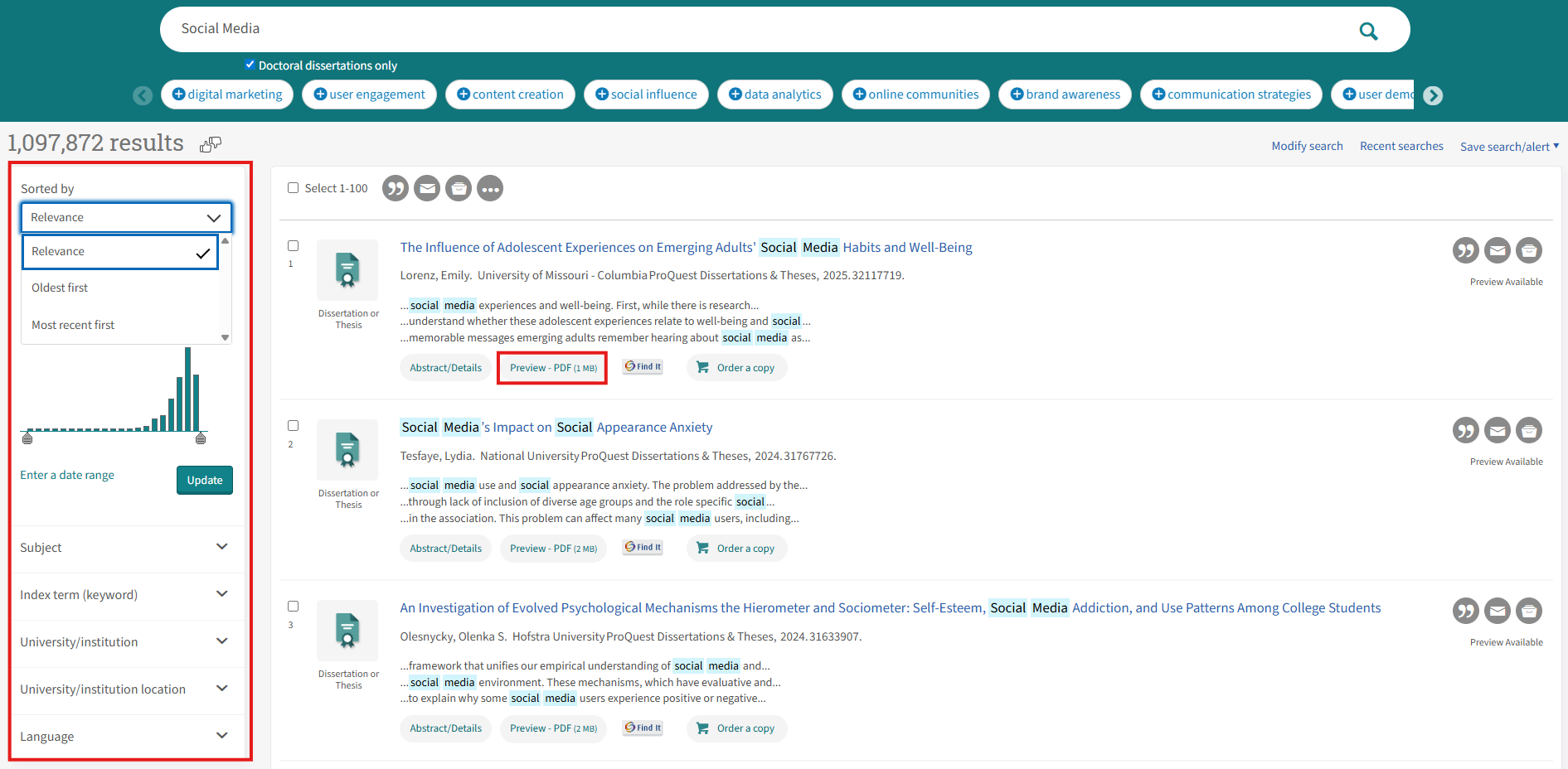
Step 3
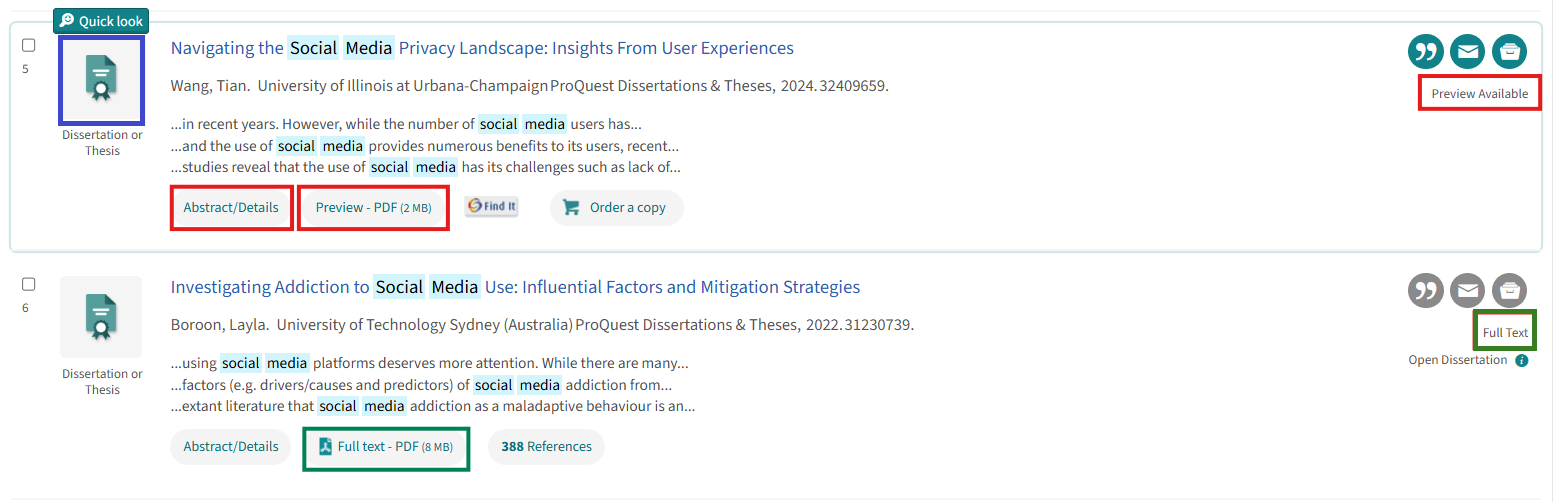
- Green box: Indicates full text is available. You can directly click "Full text - PDF" to download it.
- Red box: Indicates the library does not have full-text access. If you wish to view more details, click "Preview - PDF" or "Abstract/Details".
- Blue box: Click the image icon here to use the Quick Look feature.
Step 4
For results without a "Full text - PDF" option, go to the "Abstract/Details" page and click the "Digital Dissertation Consortium" link on the right to check if the Consortium provides access to it.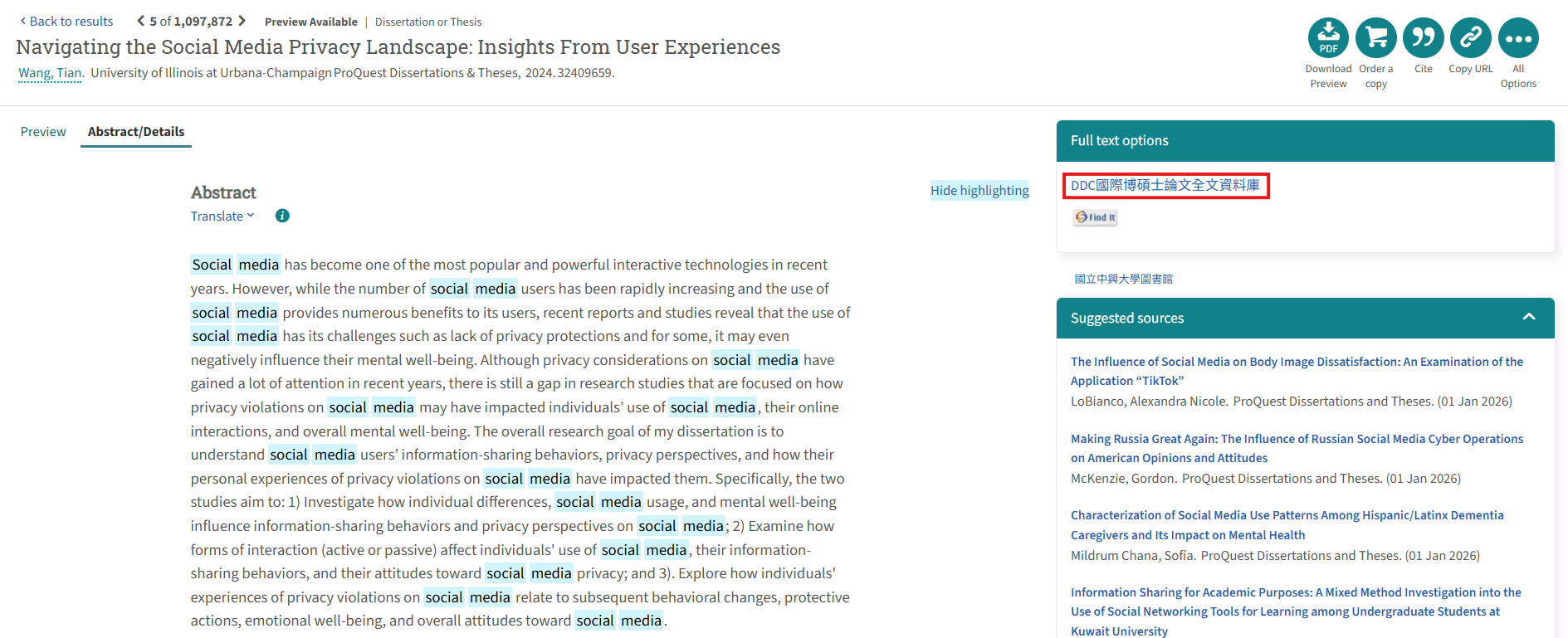
Step 5
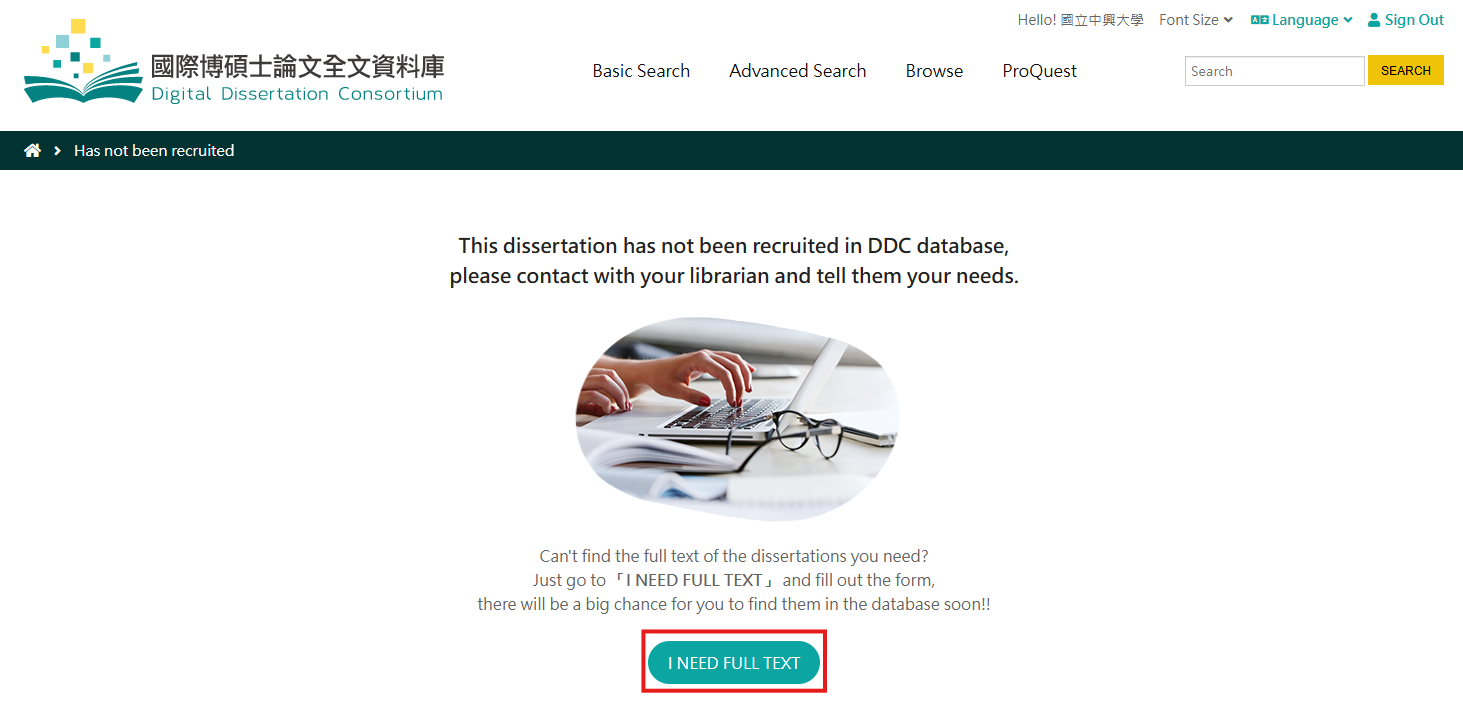
If the following message appears, it means the Consortium does not currently have access to this title.
Due to the increasing availability of Open Access repositories across universities, we recommend searching for the title on Google or other search engines first, as the full text may be freely available online.
If you are still unable to locate the full text, please click "I NEED FULL TEXT" to submit a request with the required recommendation details.
Step 6
Please ensure all required fields are completely filled out, then click "Submit."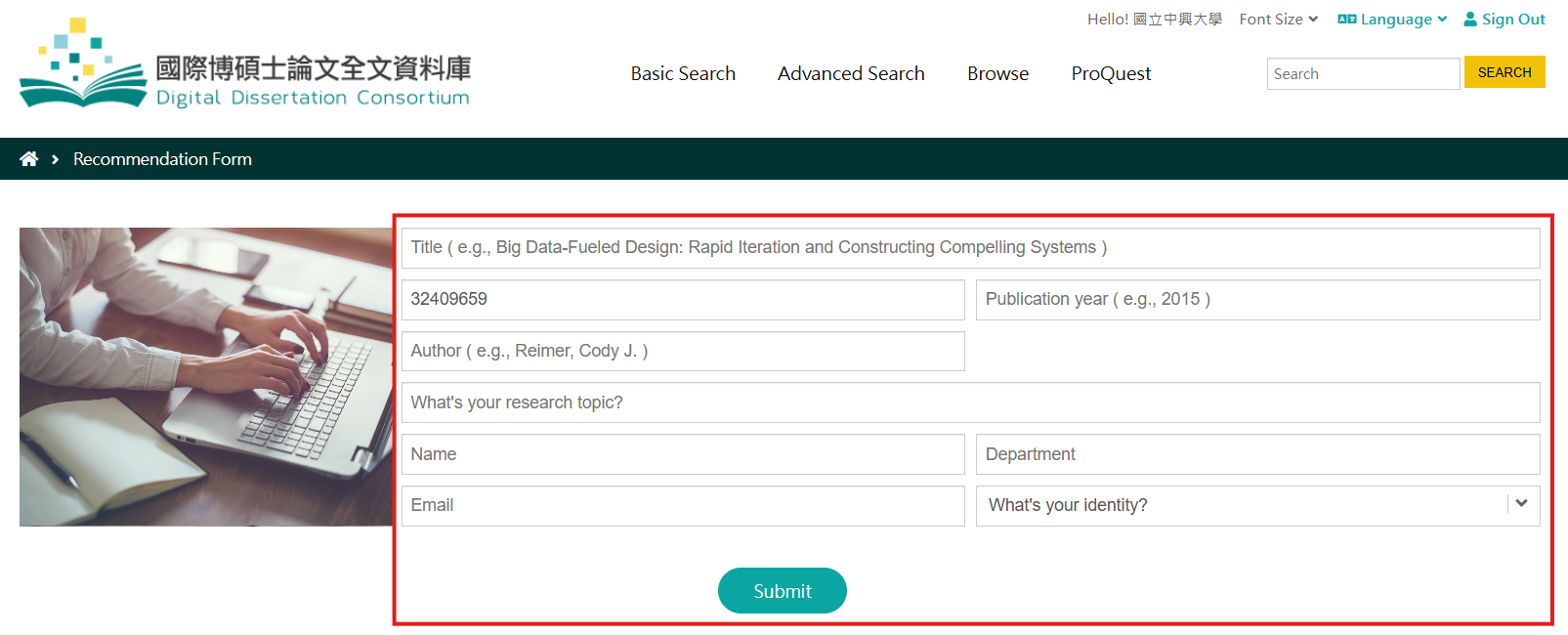
Step 7
Once the following message appears, your recommendation has been successfully submitted!
Note: The Chinese message in the image translates to "Thank you for your recommendation!"